Understanding the Client Welcome Packet Canva Template
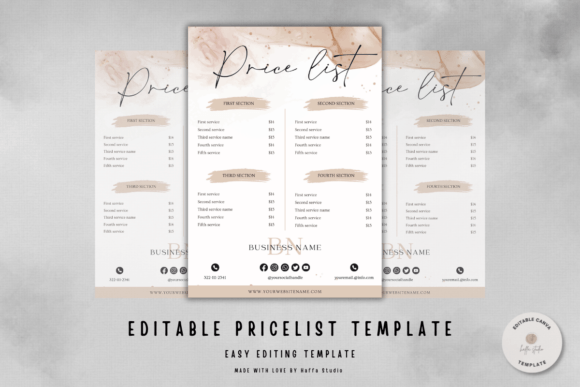
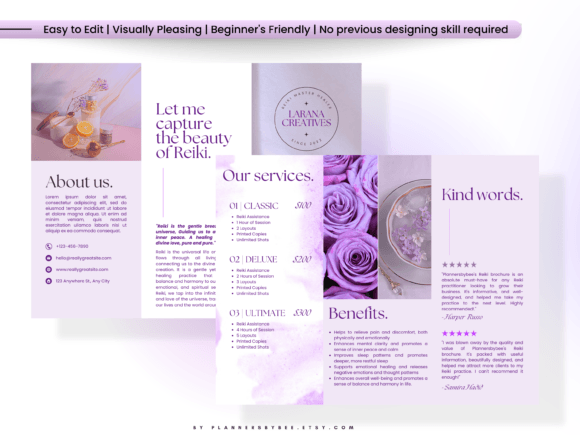
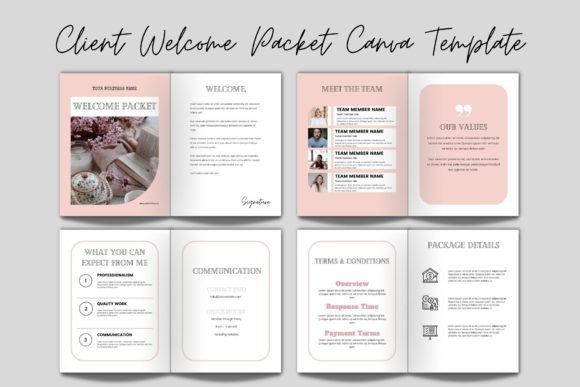
For independent professionals, small business owners, and service providers, establishing a polished and professional client relationship from the outset is crucial. A client welcome packet serves as a foundational tool to communicate your processes, set expectations, and build trust. The Client Welcome Packet Canva Template is a digital product designed to streamline the creation of this important document. It is a pre-designed layout available on the Canva platform that users can purchase and then fully customize to fit their specific brand and service offerings.
Upon purchase, buyers typically receive a PDF file containing instructions and a link to access the editable template directly within their Canva account. This means no specialized software download or font installation is required. The template itself is a layered Canva file where all elements—text, colors, graphics, and image placeholders—can be modified using Canva’s intuitive editor. The core promise is efficiency: transforming a blank page into a professional, cohesive welcome packet without starting from scratch.
Reasons for Interest and Key Benefits
Individuals exploring a Client Welcome Packet Canva Template are often seeking to solve specific challenges. Common motivations include a lack of design time or skills, the need for a consistent and branded client onboarding experience, and the desire to appear more established and organized than working with ad-hoc documents or emails alone.
The primary benefit is a significant reduction in the time and effort required to produce a high-quality document. A well-structured template provides a logical framework, prompting the inclusion of essential sections like an introduction, services overview, policies, contact information, and next steps. This ensures critical information is not overlooked. Furthermore, using a template within Canva maintains design consistency, as colors, fonts, and graphical elements can be aligned with an existing brand identity.
Another considerable advantage is the accessibility of the Canva platform itself. Editing occurs entirely within a web browser, and the platform’s drag-and-drop functionality, coupled with basic tools for moving, resizing, and changing colors, makes customization feasible for those with minimal design experience. The requirement of only BASIC Canva knowledge—as sellers often emphasize knowing how to drag, drop, and resize—broadens its accessibility. The template is also reusable, saved within the user’s Canva account for future edits or for creating variations for different service lines.
Trade-offs and Important Considerations
While the benefits are clear, evaluating a Client Welcome Packet Canva Template requires an honest assessment of trade-offs. The most prominent consideration is the dependency on the Canva ecosystem. You must have a Canva account (free or paid) and be comfortable working within its interface. Although the platform is user-friendly, any customization is confined to what Canva allows; you cannot, for instance, edit the template’s core structure in a more advanced program like Adobe Illustrator.
There is also a potential for a generic outcome. The template provides a starting point, but the final product’s uniqueness and effectiveness depend entirely on the user’s input. Simply filling in the blanks with your text may not suffice. To truly stand out, thoughtful customization of the content, thoughtful selection of your own images and logos, and deliberate color choices are necessary. Without this effort, the welcome packet may feel templated to clients.
Purchasers should also scrutinize the specific details of the listing. What exactly does “fully layered” mean for this template? Is every element truly editable, or are some graphics flattened? Understanding the scope of editability—confirmed by the seller’s list of what can be edited (text, fonts, colors, images, elements)—is key. Furthermore, while no software is needed, a reliable internet connection and a basic understanding of how to use Canva’s share and download features are implicit requirements for finalizing and distributing the packet.
Situations Where It Is a Strong Fit
The Client Welcome Packet Canva Template aligns exceptionally well with certain scenarios. It is an ideal solution for solopreneurs, freelancers, coaches, consultants, and small service-based teams who are establishing their formal client onboarding process for the first time. It provides a structured jumpstart.
It is also a strong fit for individuals who possess a defined brand identity (logo, color palette, font preferences) but lack the design skills or time to execute a document layout. The template acts as a design container for their existing brand assets. Businesses looking to standardize their client communications across multiple team members may find value in using a single, editable template as a company-wide resource, ensuring everyone delivers a consistent packet.
Finally, for those who value a balance between professional presentation and budget, a template represents a cost-effective middle ground between hiring a designer and attempting a purely text-based document created in a word processor.
When Alternatives May Be Worth Considering
Despite its utility, alternatives to a purchased Client Welcome Packet Canva Template should be considered in specific contexts. If you or someone in your team has advanced graphic design skills and access to professional software like InDesign, creating a fully original packet from scratch might yield a more unique and intricately tailored result, though at a higher time cost.
For businesses whose onboarding process is extremely complex or industry-specific, a generic template might not provide the necessary sections or flow. In such cases, drafting the content structure first in a document and then commissioning a custom design based on that precise structure could be more effective.
If your client onboarding is currently minimal and you are uncertain about the need for a formal packet, starting with a well-crafted welcome email sequence might be a simpler, free alternative to test the value of structured information before investing in a template. Additionally, Canva itself offers a range of free design templates that users can adapt. Exploring these free options first can help determine if a paid, potentially more feature-specific template is necessary.
Practical Decision-Making Insights
To determine if a Client Welcome Packet Canva Template aligns with your needs, conduct a practical self-assessment. First, audit your current client onboarding. Is information scattered across emails, invoices, and verbal conversations? A centralized packet could solve this.
Second, honestly evaluate your design capability and time. If you are confident in performing basic drag, drop, resize, and text edit actions in Canva, the technical barrier is low. If you have never used Canva, consider creating a free account and experimenting with a simple project to gauge your comfort level before purchasing.
Third, consider the scalability of your business. Are you planning to onboard clients repeatedly? A reusable template justifies its cost over time. Fourth, review the packet’s potential content. Draft a list of what you would include: welcome message, services, FAQs, contract highlights, payment terms, etc. If the template’s suggested sections map well to your list, it is a good structural fit.
Ultimately, the decision hinges on whether the template serves as a catalyst for an improvement you are ready to make. It is not a magic solution but a tool. Its value is unlocked by the user’s commitment to populate it with clear, helpful content and to customize it to reflect their authentic professional identity. For many seeking an efficient path to a more professional and organized client experience, the Client Welcome Packet Canva Template represents a pragmatic and accessible step forward.